P6spro P6sLite Şifre Sıfırlama
DVR Nasıl Yapılır

P6spro P6sLite Şifre Sıfırlama

Admin
03 May 2020
1 dakika okuma
1,321 görüntülenme
Bu yazıyı paylaş:
NVR/DVR Password Recovery Instructions
To make it easier to serve our customers, we upgraded the NVR/DVR method of retrieving passwords. When you forget your password, you can self-help retrieve your login password using the APP.
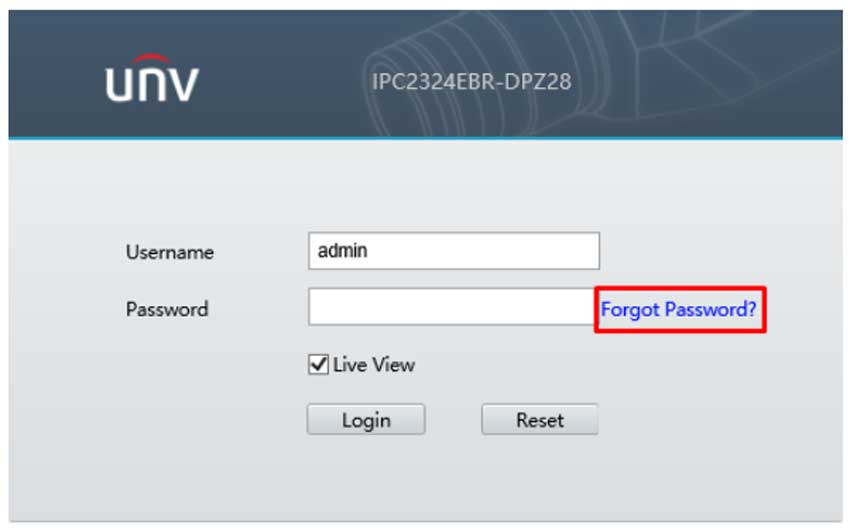
1. Click the forgotten password button in the login window.
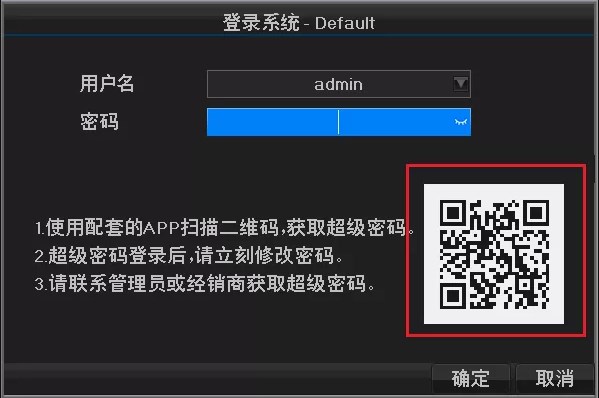
2. Pop-up the password recovery page.
3. Open the APP into my — local configuration— retrieve the device password— scan the device 2D code — generate temporary password.
Note:The APP requires a login account. 4. Enter the temporary password on the APP into the device, not case sensitive, click the OK button after the input is complete.
5. Click OK to set a new account password, in the new page can enter a new user password.
Note:App for , APP and NVR/DVR required for the new version.
If it’s an older version of NVR, prompt your administrator. Please click on the original text: Use the online password resolution function, after decrypting need to go to the user management page on the NVR/DVR to edit the password of the user admin user.
A

Admin

ACME GÜVENLİK ekibinden güvenlik sistemleri uzmanı